
How to speak Urdu and send it in Bahasa Indonesia
Say your message in Urdu and Alien Keyboard types the Bahasa Indonesia translation into the chat you’re already in. Here’s how to set it up, step by step.
Also in: اردو Bahasa Indonesia
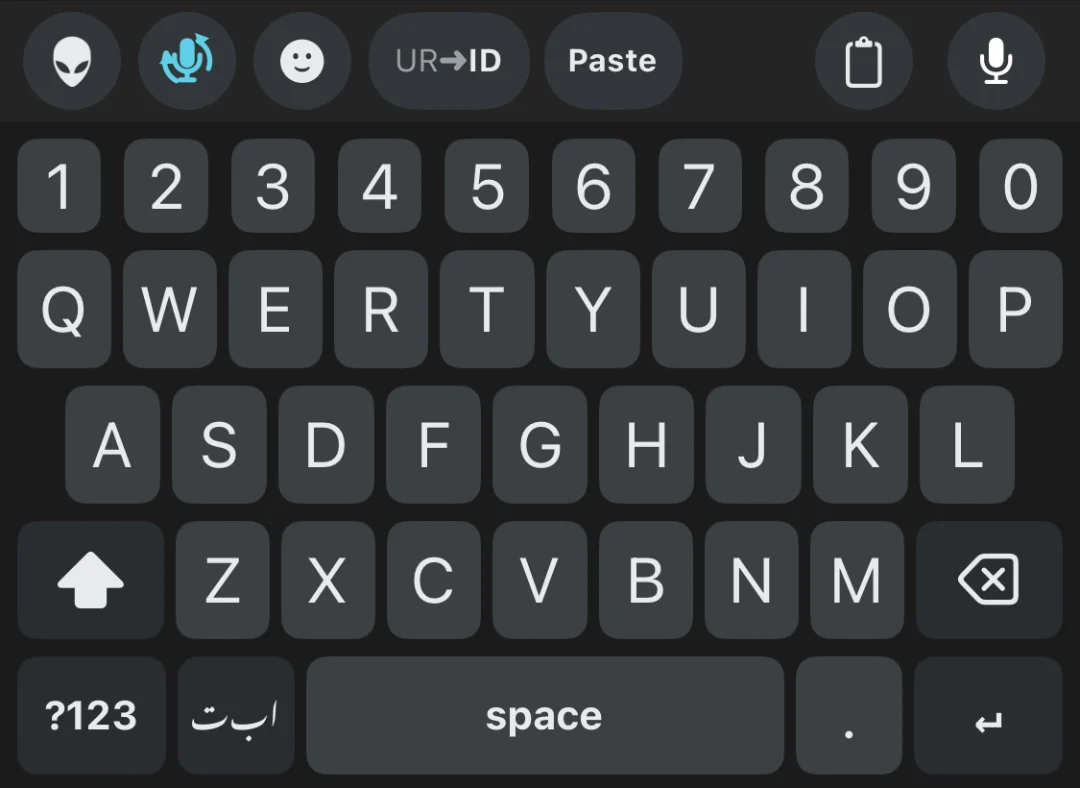
Writing to someone in Bahasa Indonesia when you think in Urdu usually means a translator app, a lot of copying and pasting, and switching back and forth between apps. Alien Keyboard does the translating inside the keyboard: you say your message in Urdu, and the Bahasa Indonesia translation is typed into the message box you’re already in.
What you need
- Alien Keyboard on an Android phone with Android 7.0 or later, or on an iPhone or iPad with iOS 18 or later (from version 2.8).
- An internet connection. Translating Urdu always needs one.
- On iPhone, version 2.8. The keyboard mic arrives in version 2.8 and needs Full Access. Urdu voice also uses an optional speech model that you download once: see Urdu voice typing on iPhone and Android: what you need.
Step 1: set the language pill to UR ➜ ID
The keyboard keeps two languages apart: the one you speak (“I speak”) and the one it types (“Type it as”). Choose Urdu for the first and Bahasa Indonesia for the second. The language pill in the keyboard’s toolbar then shows UR ➜ ID.
Step 2: tap the mic and speak Urdu
Open your chat, tap the message box so the keyboard comes up, and tap the mic. The mic turns red while it listens. Say your message the way you’d say it out loud.
Step 3: pause, and the translation is typed in
When you pause, the mic turns green while it translates, and the Bahasa Indonesia translation is typed into the message box. Read it over, then press send in your chat app as usual.
How long a pause counts as the end of what you said is up to you: the “Auto-translate after silence” delay is adjustable.
What it looks like
One of the everyday lines on our home page, said in Urdu:
میں راستے میں ہوں، دس منٹ میں پہنچ جاؤں گا۔
comes out in Bahasa Indonesia as:
Saya sudah di jalan, sepuluh menit lagi sampai.
The wording comes from the translation service, so yours can differ.
Good to know
- On Android, your speech goes through your phone’s Google speech service, so the languages you can speak depend on it.
- On iPhone, the first tap on the mic opens the Alien Keyboard app for a moment to start voice typing. It does that again whenever the mic has gone unused for 10 minutes.
- Privacy: once translation is on, the text being translated goes to Google over HTTPS. On iPhone, the words heard so far are sent at each pause in your speech, so text can be sent before you’ve finished speaking. The privacy section on our home page explains exactly what goes where.
- VPNs: if you use a VPN that blocks Google, translation can’t get through.
Replying the other way
It works in both directions. Set the pill to ID ➜ UR, say your sentence in Bahasa Indonesia, and the Urdu translation is typed in. And when you’d rather type than talk, Alien Keyboard has real Urdu-script keys and a Latin QWERTY layout for English and Bahasa Indonesia, with word suggestions for all three.